Fix the 9.90 version error with Version.txt Switch & Repair
Disclaimer
While I have done my best to make this guide safe and easy to follow, I, wyped.net, and any other authors or third parties cannot be held responsible for any damages to your console or loss of data. Please double-check every step and only proceed if you are comfortable with the risks involved. Use this guide at your own risk.
Older GEN Custom Firmware like the 5.50 GEN-D3 had a protection to avoid updating to Official Firmware and lose Custom Firmare. This protection works by replacing the version.txt file in flash0 to an absurdly high version number, 9.90, which is giving you the "system version is 9.90, no need to update".
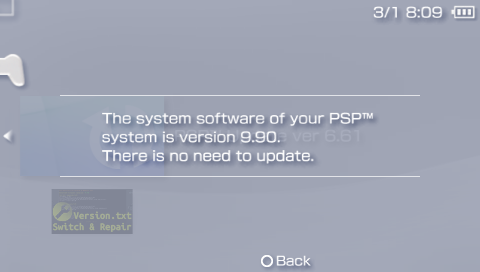
Multiple homebrews can restore the original version.txt, allowing you to update to 6.61 Official Firmware. In this guide, we will use the Version.txt Switch & Repair homebrew.
Get started
Download and install Version.txt Switch & Repair
Download the latest version of the Version.txt Switch & Repair homebrew.
Version.txt Switch & Repair (Github)
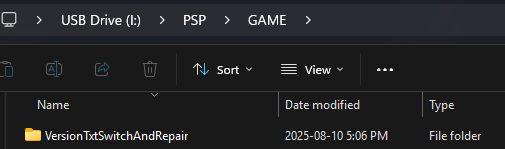
Extract the Zip file and place the VersionTxtSwitchAndRepair folder in the GAME folder of the memory stick.
X:/PSP/GAME/VersionTxtSwitchAndRepair/EBOOT.PBP
Restore the original version.txt
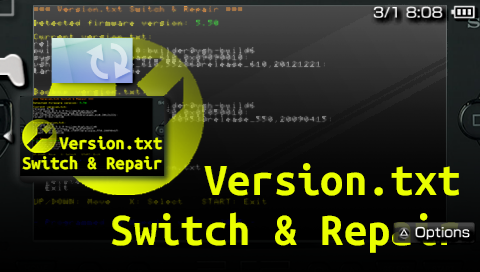
Go to the game list and start Version.txt Switch & Repair.
Use the arrows to navigate the menu, select Repair version.txt
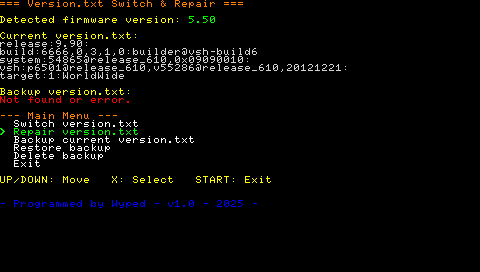
The application will auto-detect your real firmware version and select the correct version.txt to apply.
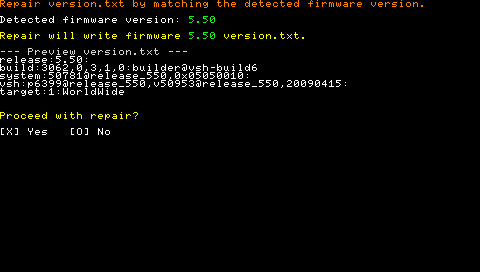
Press X to proceed with the repair.
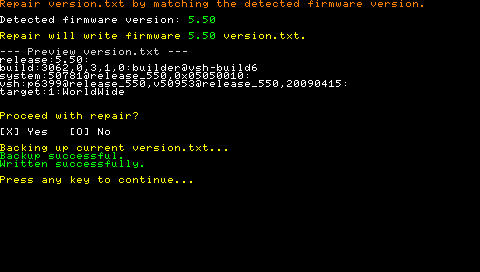
Press any key to go back to the main menu. Your current version.txt should now display 5.50.
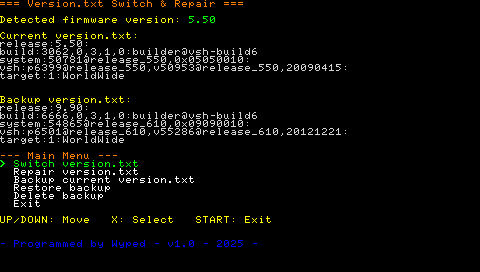
Press start to exit the app.
Reboot the console, the error should now be fixed.
You can now update to the latest 6.61 Official Firmware version.