Update to 6.61 Official Firmware
Follow the instructions on this page to install the 6.61 Official Firmware.
Download Firmware Update
On your computer, download the 6.61 Official Firmware:
PSP 1000, 2000, 3000, E1000 (Street)
6.61 Official Firmware (Archive.org)
PSP GO
6.61 Official Firmware for PSP GO (Archive.org)
Rename Firmware Update file
Extract the firmware from the zip file and rename it to EBOOT.PBP
661.PBP > EBOOT.PBP
Transfer the update file to the console
INFO
For the purpose of this guide, we will assume that your PSP / Memory Stick has been assigned the drive letter X: by Windows.
Transfer the Firmware Update file to your PSP and place it inside the UPDATE folder. (If the folder doesn't exist, create it).
The Firmware Update file must be placed here:
X:/PSP/GAME/UPDATE/EBOOT.PBP
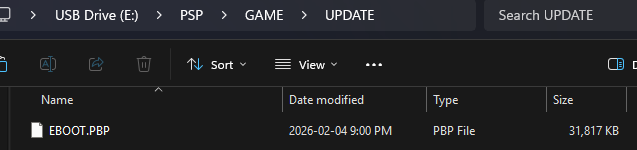
Exit USB mode on the PSP and navigate to the game list.
Update to 6.61
WARNING
Your battery must be charged above 80% for the update to proceed. It is recommended to keep the charger plugged in.
DANGER
Do not shutdown the PSP during the update process or you will brick it.
DANGER
If you are currently running a Custom Firmware with Infinity ∞, you MUST follow this guide:
6.3X / 6.6X Custom Firmware Update Guide
YOU WILL BRICK YOUR CONSOLE OTHERWISE!
Start the 6.61 firmware update.
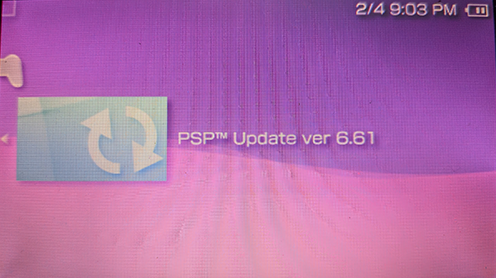
Follow the on-screen instructions to install the update.
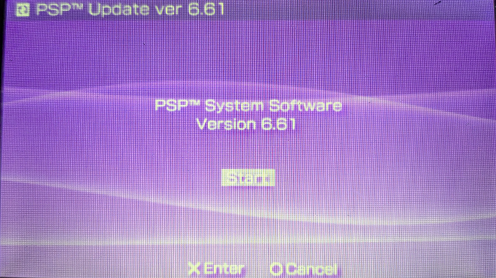
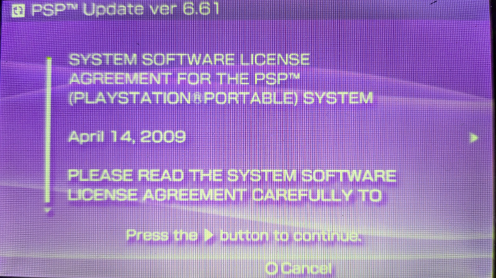
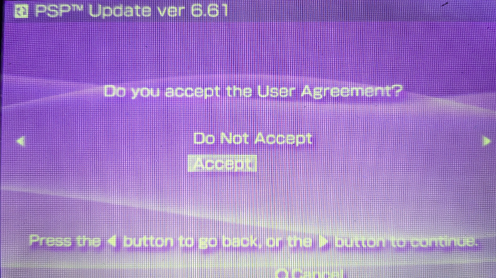
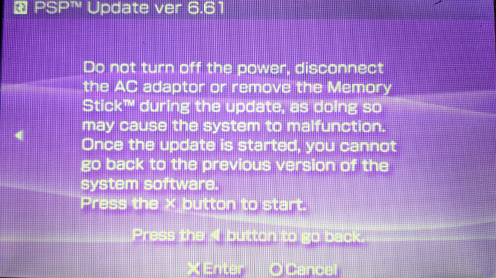
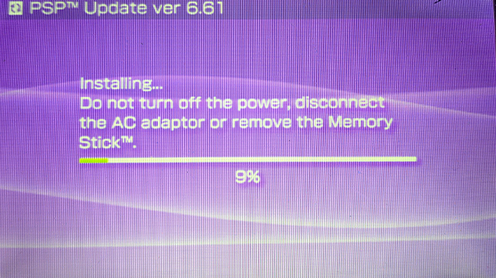
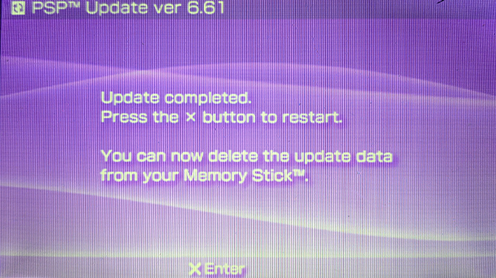
You are now on 6.61 Official Firmware, proceed to the next page to install the Ark-4 Custom Firmware.
Troubleshoot
- If you are getting an error DRNFFFFFxx, follow this guide: Fix the DRNFFFFFxx error
- If you are getting an error DADADADA, follow this guide: Fix the DADADADA error
- If you are getting an error "system version is 9.90, no need to update", follow this guide: Fix the 9.90 error version