Install the Ark-4 Custom Firmware
WARNING
This page assume that you are installing Ark-4 on a PSP running on the 6.61 Official Firmware. If you don't know your current system version or are already running a Custom Firmware, refer to this page:
Identify your firmware
Download
Start by downloading the latest revision of the Ark-4 Custom Firmware to your computer.
Ark-4 Custom Firmware (github.com)
Copy files to the Memory Stick
INFO
For the purpose of this guide, we will assume that your PSP / Memory Stick has been assigned the drive letter X: by Windows.
Extract the ARK4.zip file and copy the following folders to your Memory Stick:
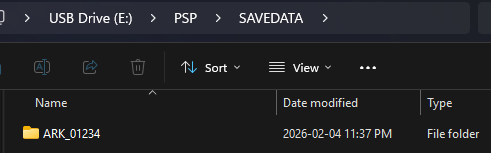
Copy the ARK_01234 folder to X:/PSP/SAVEDATA/
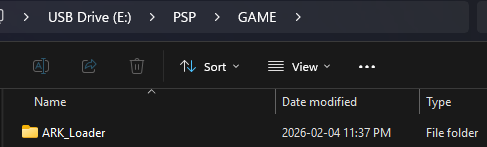
Copy the ARK_Loader folder to X:/PSP/GAME/
Install the Ark-4 Custom Firmware
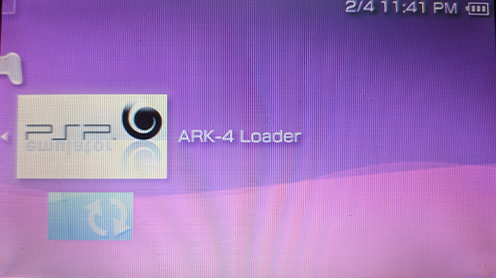
Now go to the game list on your PSP.
Start the Ark Loader.
It will install the required Custom firmware modules into to the PSP flash and reboot. 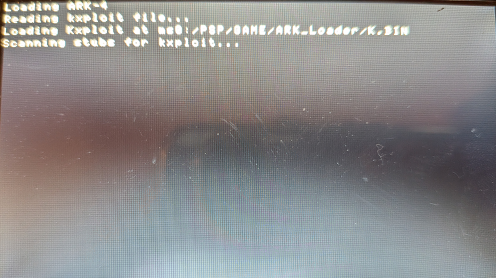
Verify the installation
Your PSP is now running the Ark-4 Live Custom Firmware. To verify it:
- Go to System Settings > System version
- Your Sytem Version should be 6.61 Ark-4 Live
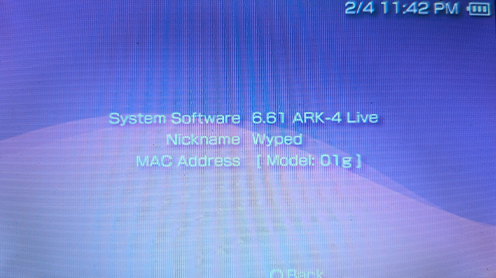
You are now running Ark-4 Custom Firmware as a Live Custom Firmware. This means that you will need to re-launch the Ark Loader each time you shutdown the console.
Proceed to the next step to make it permanent.