Identify your PSP
Before continuing you need to know your psp model. This page will help you identity which one you have.
The easiest way is to read the model on the barcode located on the bottom side of the console or on the sticker inside the battery compartment. 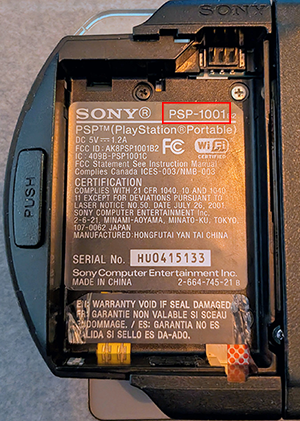
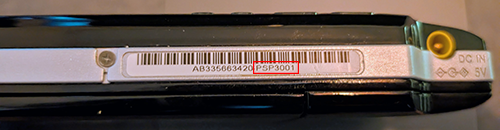
It should read PSP-XXXX (XXXX being the model number)
If the stickers are unreadable or missing, refer to the informations below to identify your model:
PSP 100X (Phat)
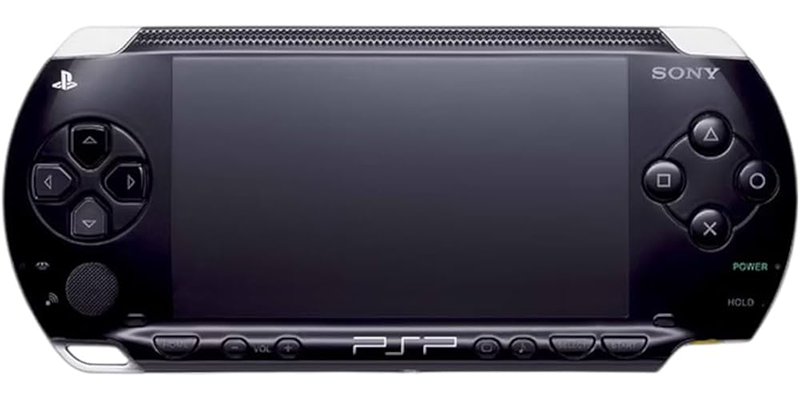
- Thick model
- Speaker located at the bottom
- Infrared receiver on the top side
- "Bumpy" texture at the top of the screen
PSP 200X (Slim)
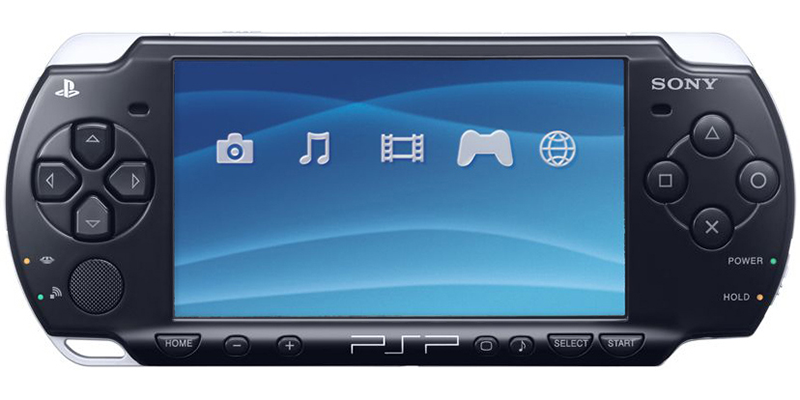
- Sony logo on the top-right corner
- Playstation logo on the top-left corner
- "Home" inscription on the Home button
- Bottom button have a "half-moon" form
- Two speakers at the top, on each side of the screen
PSP 300X (Bright)
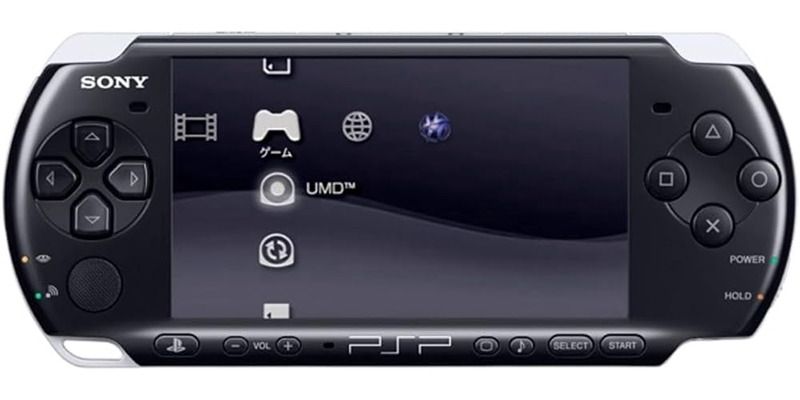
- Sony logo on the top-left corner
- Playstation logo on the home button
- Button button have a rounded square form
- Two speakers at the top, on each side of the screen
PSP N100X (GO)
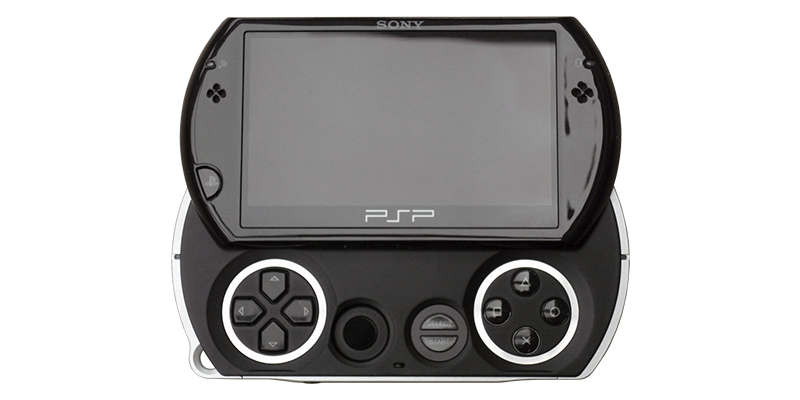 Easy to distinguish from the others, it's the one you slide to reveal the pad and buttons.
PSP E100X (Street)
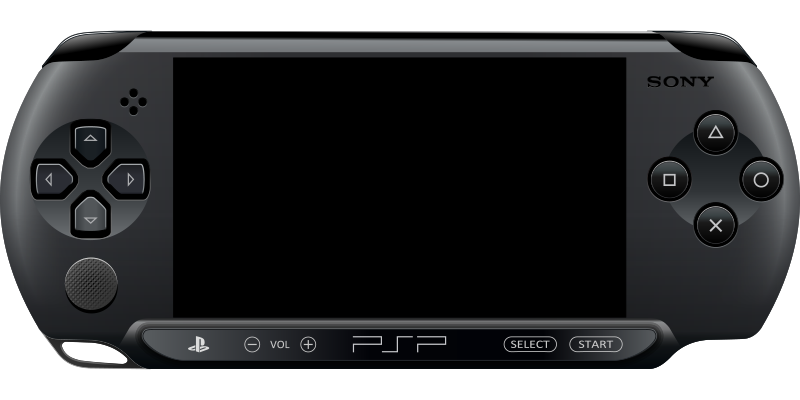
- Only one speaker at the top left of the screen
- Memory stick is located on the top side of the console
- The whole back of the console open to insert UMD.
- Battery cannot be removed.
- No wifi
Once you have identified your PSP model, proceed to the next page.