Install new cIPL
This page will guide you to install the Ark-4 new cIPL. It will make the Ark-4 Custom Firmware permanent.
TIP
It can also help you unbrick your console when used with the ARK-DC Magic Memory Stick we created on the previous step.
WARNING
Please read this whole page before proceeding. Make sure your console is charged to at least 80% and the charger plugged in to avoid risks of brick.
DANGER
Do not shutdown or restart the console during this proceedure to avoid risks of brick.
Downloads
Start by downloading the latest revision of the Ark-4 Custom Firmware to your computer. (You can use the one you downloaded on the previous step).
Ark-4 Custom Firmware (github.com)
Copy files to the Memory Stick
INFO
For the purpose of this guide, we will assume that your PSP / Memory Stick has been assigned the drive letter X: by Windows.
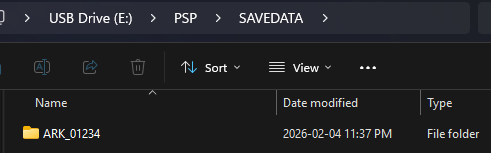
Copy the ARK_01234 folder to X:/PSP/SAVEDATA/
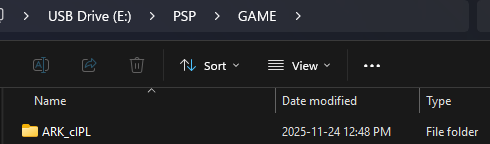
Copy the ARK_cIPL folder to X:/PSP/GAME/
Install the Ark new cIPL
WARNING
Make sure that you are currently running the 6.61 Ark-4 Live Custom Firmware. To verify, go to System Settings > System Version.
Refer to the Install Ark-4 Custom Firmware page to install and run the Ark-4 Live Custom Firmware.
Now go to the game list on your PSP.
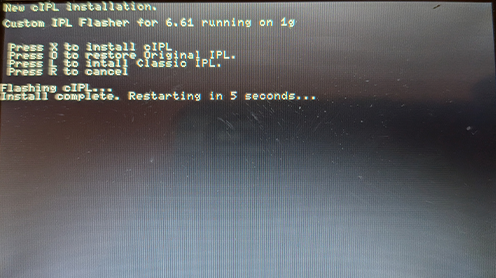
Start the Ark cIPL Flasher.
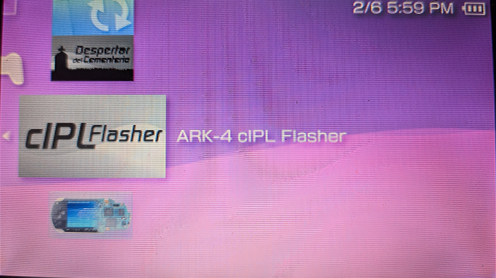
Press X install the Ark new cIPL.
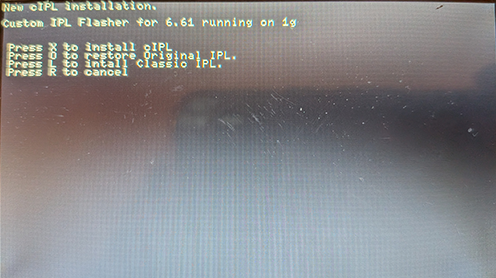
Wait for the installation to complete. The console will reboot at the end of the installation.
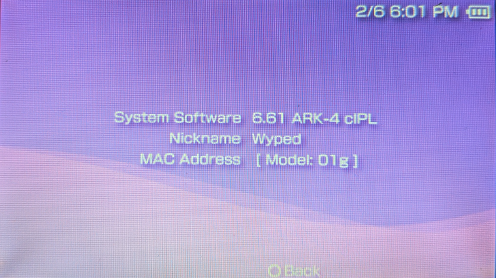
Go to System Settings > System Version.
You should now be on 6.61 Ark-4 cIPL.
Congratulations! You have completed this guide and are now on the latest and most recent Custom Firmware for the PSP.