Install DC-ARK
WARNING
For PSP GO users, DC-ARK needs to be installed on a memory stick. You need either an original M2 card or M2 to microSD adapter. It cannot be installed on the internal memory of the PSP GO.
Downloads
Start by downloading the latest revision of the Ark-4 Custom Firmware to your computer. (You can use the one you downloaded on the previous step).
Ark-4 Custom Firmware (github.com)
Then download the 6.61 Official Firmware.
PSP 1000, 2000, 3000, E1000 (Street)
6.61 Official Firmware (Archive.org)
PSP GO
6.61 Official Firmware for PSP GO (Archive.org)
Rename the firmware update file
Rename the file to 661.PBP or 661GO.PBP for PSP GO users.
Copy files to the Memory Stick
INFO
For the purpose of this guide, we will assume that your PSP / Memory Stick has been assigned the drive letter X: by Windows.
Copy the ARK_DC folder to X:/PSP/GAME/
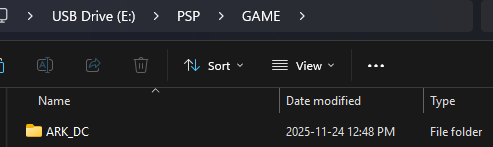
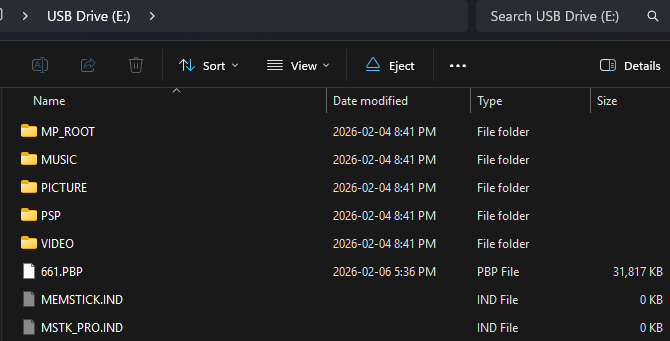
Copy the update 661.PBP or 661GO.PBP file to the root of the memory stick.
TIP
What we call root is the "base" of the memory stick, it should look like this:
X:/661.PBP (or X:/661GO.PBP for PSP GO users)
Install DC-ARK
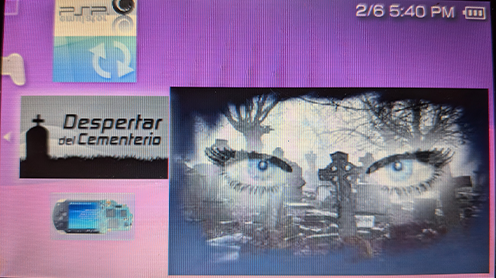
Now go to the game list on your PSP.
Start the ARK DC Installer.
Press X to create a Magic Memory Stick.
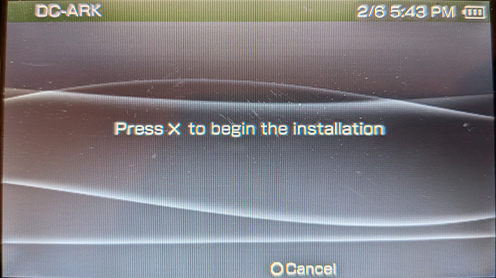
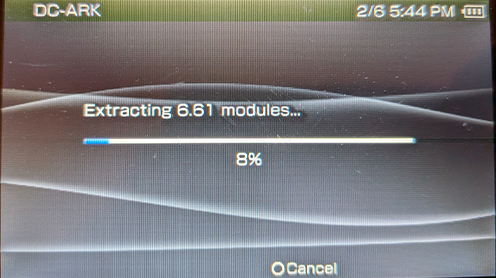
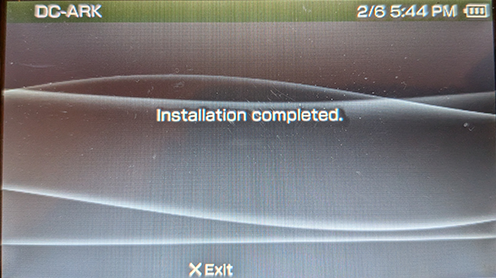
Exit the installer.
You now have a Magic Memory Stick. Proceed to the next step to install new cIPL and update to 6.61 Ark-4.
INFO
A Magic Memory Stick is an essential tool to recover from a brick. To use it, you need a Pandora Battery or a Baryon Sweeper or by holding the Left Trigger when starting the console once you have installed the new cIPL.
DANGER
It is MANDATORY to complete this step succesfully for the next step to succeed. You will BRICK your console if you do not have a DC ARK Magic Memory Stick!
Troubleshooting
If DC-ARK give you an error saying that it cannot write the IPL due to unsuffisant space do the following (MANDATORY):
The Memory Stick need to have enough space for the boot sector. This is usually the case for legit memory sticks, but not such case for genericly-formatted SD cards. You can use PSP Tool to do so. There are ways to do this on PC via command line but we won't be covering that.
Download PSP Tool
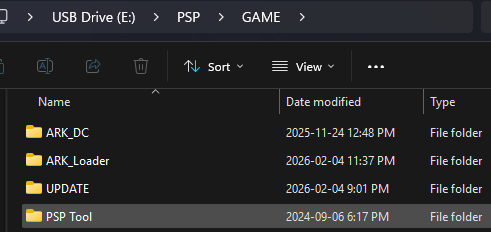
Unzip it and place it on the GAME folder of your Memory Stick.
Path must be X:/PSP/GAME/PSP Tool/EBOOT.PBP
DANGER
This will remove all data on your memory stick so BACK IT UP FIRST!
Once you are in PSP Tool:
- select Memory Stick Options.
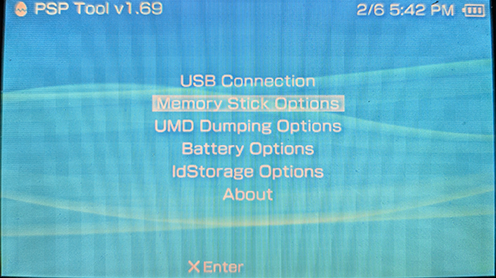
- Format Memory Stick.
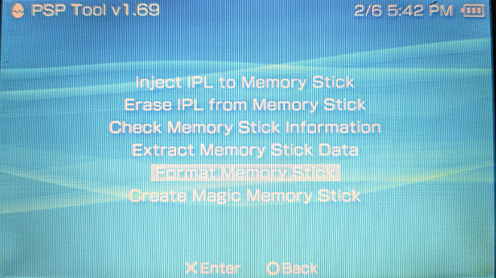
- Yes.
Once done, you must install DC-ARK again before proceeding to the next step.