Install new cIPL
This page will guide you to install the Ark-4 new cIPL. The Ark new cIPL has a feature allowing to boot on a DC-ARK Magic Memory Stick by holding the Left Trigger, without the need of a Pandora Battery or Baryon Sweeper. We will use this feature to update to the Ark-4 Custom Firmware, bypassing any errors, like the DADADADA error for exemple.
WARNING
Please read this whole page before proceeding. Make sure your console is charged to at least 80% and the charger plugged in to avoid risks of brick.
DANGER
The new cIPL can only boot a 6.61 firmware or a DC-ARK Magic Memory Stick. We will TEMPORARLY brick the console in this step, then recover it to install the 6.61 Ark-4 Custom Firmware.
For this to work it is MANDATORY to have completed the previous steps to have a DC-ARK Magic Memory Stick and the Left Trigger must be working for the console to boot on it.
Do NOT attempt if both conditions are not met!
Downloads
Start by downloading the latest revision of the Ark-4 Custom Firmware to your computer. (You can use the one you downloaded on the previous step).
Ark-4 Custom Firmware (github.com)
Copy files to the Memory Stick
INFO
For the purpose of this guide, we will assume that your PSP / Memory Stick has been assigned the drive letter X: by Windows.
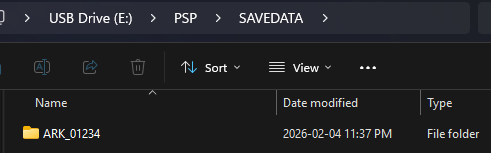
Copy the ARK_01234 folder to X:/PSP/SAVEDATA/
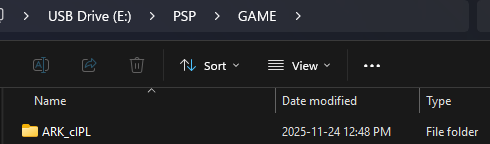
Copy the ARK_cIPL folder to X:/PSP/GAME/
Install the Ark new cIPL
WARNING
Make sure that you have a working DC-ARK Magic Memory Stick and that all your console buttons work, especially the Left Trigger.
DANGER
The new cIPL can only boot a 6.61 firmware or a DC-ARK Magic Memory Stick. We will TEMPORARLY brick the console in this step, then recover it to install the 6.61 Ark-4 Custom Firmware.
For this to work it is MANDATORY to have completed the previous steps to have a DC-ARK Magic Memory Stick and the Left Trigger must be working for the console to boot on it.
Do NOT attempt if both conditions are not met!
Now go to the game list on your PSP.
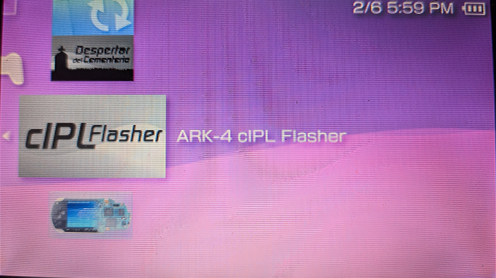
Start the Ark cIPL Flasher.
DANGER
If the model says some negative number DO NOT PROCEED!
Press X install the Ark new cIPL.
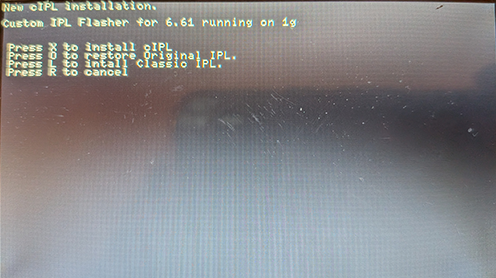
Wait for the installation to complete. The console will reboot at the end of the installation.
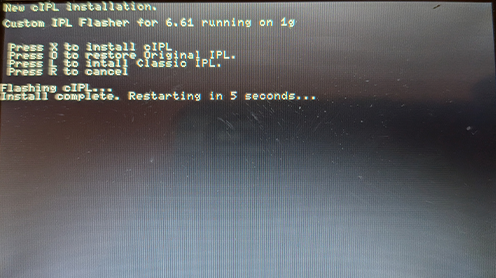
The PSP will reboot and be on a black screen with only the power led on a solid green light. The console is on a bricked state. Don't panick we will fix it on the next step.
Install the 6.61 Ark-4 Custom Firmware
Shutdown the console completely. (You can remove the battery to be sure it's fully turned off)
Hold the Left Trigger.
Power on the PSP while still holding the Left Trigger.
Wait for DC-ARK to load and then release the trigger.
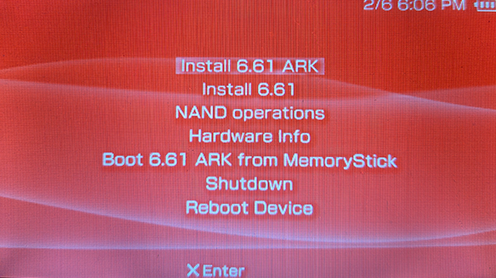
Select Install 6.61 ARK-4.
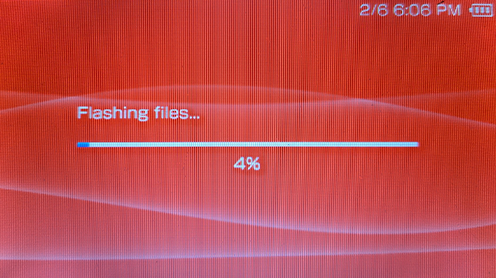
Wait for the installation to proceed.
Reboot the console at the end of the installation.
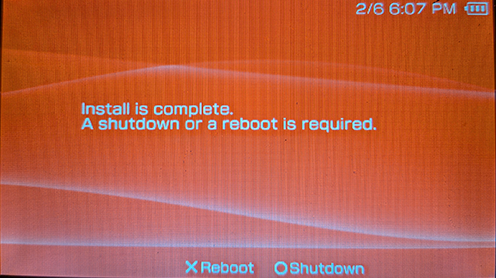
Go to System Settings > System Version.
You should now be on 6.61 Ark-4 cIPL.
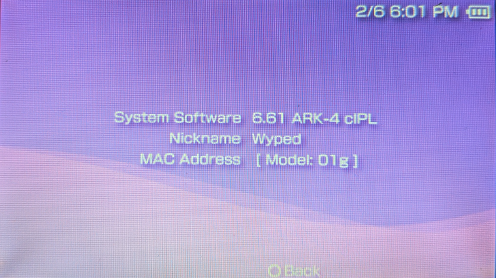
Congratulations! You have completed this guide and are now on the latest and most recent Custom Firmware for the PSP.